



What is it?
Meet the Smart Vacuum Cleaner — the easy way to keep your home clean. It’s made for busy people and uses strong suction, smart navigation, and phone connectivity to clean your floors automatically with almost no effort from you.

Power Thread Rolling Brush
- Thread Rolling Brush – Deep-cleaning brush design lifts embedded dirt and pet hair with ease.
- Slim & Compact Design – Reaches under beds, sofas, and tight spaces to ensure full-coverage cleaning.
- Long Battery Life – Extended runtime supports cleaning multiple rooms in one cycle.
- Ideal for Pets – Strong suction and precision brushes effectively remove pet fur and allergens

Energy Saving Design
- Start Auto Cleaning Turn on the robot and let it clean your whole home. It will scan the area and create a map automatically. Connect to the Mobile App Open the vacuum’s app to see the live map while it’s cleaning.
- Wait for the Map to Finish When the cleaning is done, the full map gets saved. Some models store up to 5 maps. Customize the Map In the app, you can rename rooms, split areas, set no-go zones, and add virtual walls.
- Set Cleaning Schedule After the map is ready, you can choose which rooms to clean and set daily or weekly schedules.

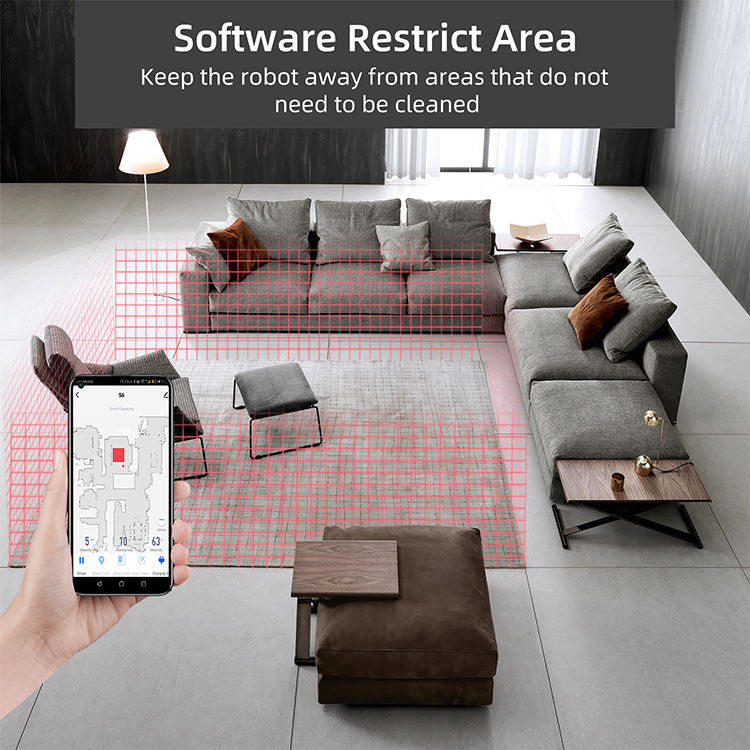
Software-Restricted Area in a Robot vacuum
- The vacuum First creates a floor map using sensors (Camera).
- In the mobile app, the user draws a no-go zone (rectangle, polygon, or virtual wall).
- The app converts this drawing into coordinates on the map.
- The robot stores these coordinates and marks them as blocked in its navigation system.
- The path planner avoids these blocked areas and never enters them during cleaning.
- Users can edit, remove, or add more restricted zones Anytime.