
Skip to content
Skip to product information
1 of 4

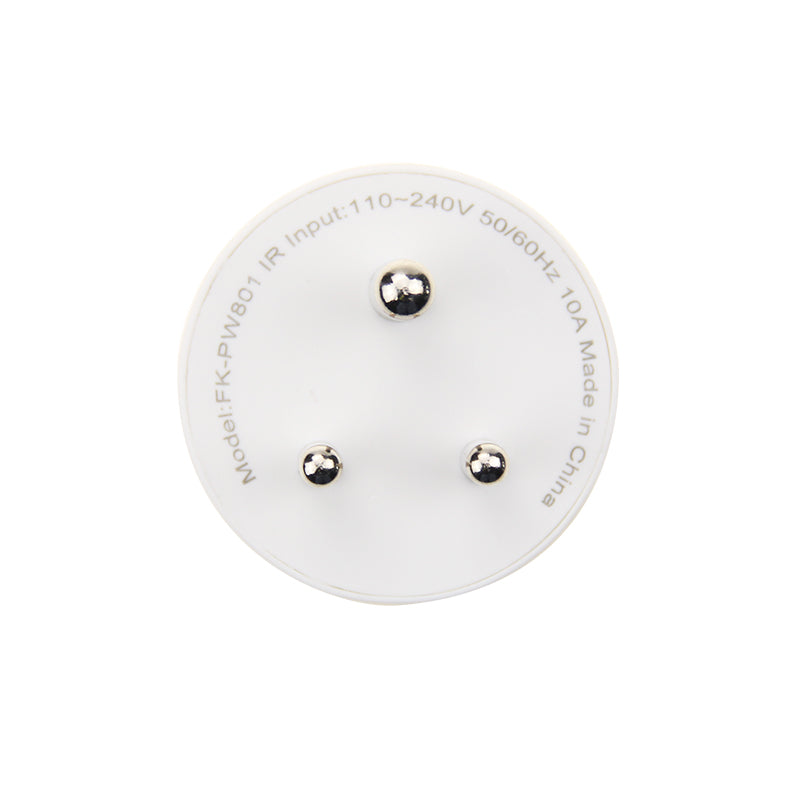
Smart Socket 10A

Regular price ₹ 799.00
Regular price ₹ 999.00 Sale price ₹ 799.00
Sale Sold out
Order Smart Socket 10A – monitor and control appliances remotely. Wi-Fi enabled, app support, and power-saving automation.

Save more with a package

Save upto 40% when you buy a package instead of individual products


Automate Your Home

The Okos Smart Socket is designed to be used with any low-power (less than 10A) home appliances and simply plugs directly into both the appliance and the wall outlet.

Using the Okos Smart App you can now monitor and power on/off any small item in your home directly from your iOS/Android smartphone at the push of a button. Schedule any number of tasks to happen either alone or together.

Full Integration

The Okos Smart Socket easily pairs with a range of other Okos smart home devices allowing you to completely customize your homes routine and monitor everything from anywhere.

Have your Coffee machine or lamp turn on automatically at a scheduled time, set the water motor to turn on and off at a preset time everyday, set the mosquito repellent to turn on every evening at a comfortable time, or turn off remotely using the Okos Smart app. 1 socket, endless possibilities.

Easy Setup

Simply insert the Okos Smart Socket into any outlet and connect it to your 2.4GHz Wi-Fi network using the Okos Smart app, no need for any external hub or controllers. Additionally, the socket is compatible with a variety of Amazon Alexa, Google Home, and IFTTT voice-enabled devices.

Durable and Portable

The Okos Smart Socket is made of tough, flame retardant plastic with solid metal connectors. In addition, it’s universal input means it can connect to any device, no matter where in the world you may be. Take all the comforts of a custom schedule with you, wherever you go.

1 year warranty against any manufacturing defects.

FAQs

Which appliances can I use with the OKOS Smart Socket 10A?

The Smart Socket 10A is suitable for low to medium-power appliances such as table lamps, televisions, routers, fans, chargers, coffee makers, and other compatible household devices. Do not connect appliances that exceed the socket's rated load.

Can I control the Smart Socket 10A remotely using the OKOS Smart App?

Yes. Once connected to Wi-Fi and paired with the OKOS Smart App, you can turn the socket ON or OFF remotely from anywhere with an internet connection.

Can I create schedules and timers for connected appliances?

Yes. The OKOS Smart App allows you to create schedules, countdown timers, and automation routines to control connected appliances automatically.

Does the Smart Socket 10A support voice control?

Yes. The Smart Socket 10A supports compatible voice assistants, allowing you to control connected appliances using voice commands.

Will the Smart Socket 10A work if the internet connection is lost?

Yes. The socket will continue to supply power based on its last operating state and can still be controlled manually. However, remote control, automation, and voice control will not be available until the internet connection is restored.

Can multiple family members control the same Smart Socket?

Yes. The Smart Socket can be shared with multiple authorized users through the OKOS Smart App, allowing everyone in the household to control the connected appliance.

What should I do if the Smart Socket is not appearing in the OKOS Smart App?

Ensure the socket has power, your Wi-Fi network is working, and the socket is in pairing mode. If necessary, reset the socket and pair it again through the OKOS Smart App.

Can I monitor whether the Smart Socket is ON or OFF through the app?

Yes. The OKOS Smart App displays the current ON/OFF status of the Smart Socket, allowing you to check whether the connected appliance is powered.

How do I reset the Smart Socket 10A?

Press and hold the Reset button for approximately 5–10 seconds until the indicator LED starts blinking. The socket will enter pairing mode and can then be added again through the OKOS Smart App.

Your cart is empty

Continue shopping