
Skip to content
Skip to product information
1 of 7

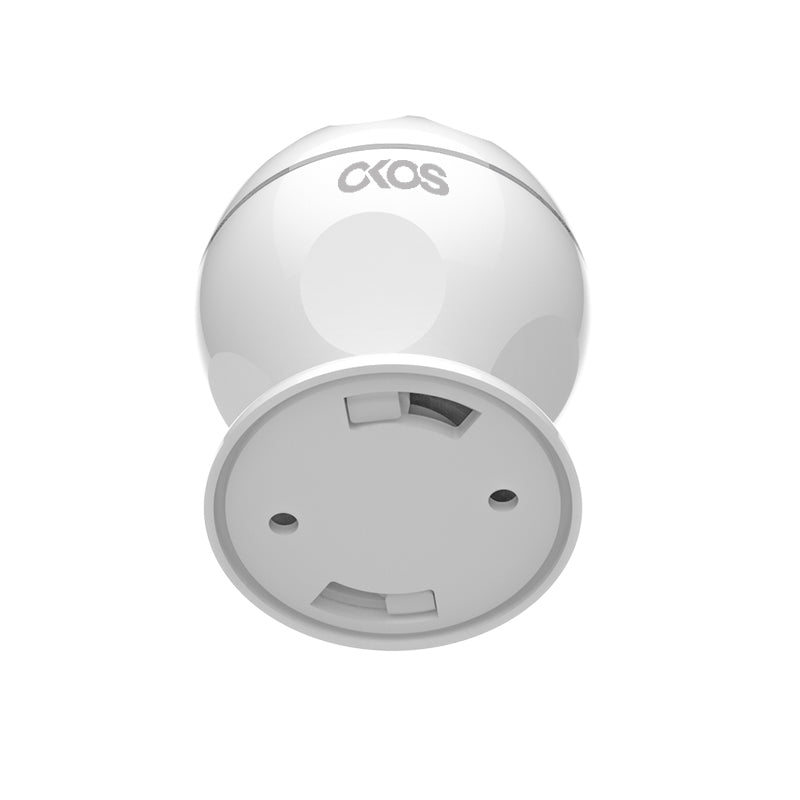
Smart PIR Motion Sensor

Regular price ₹ 1,799.00
Regular price ₹ 2,200.00 Sale price ₹ 1,799.00
Sale Sold out
Get the Smart PIR Motion Sensor for reliable motion detection. Ideal for home automation and real-time intrusion alerts.

Save more with a package

Save upto 40% when you buy a package instead of individual products


What is it?

PIR stands for Passive Infrared and refers to the sensors ability to passively monitor its surroundings for movement.The Okos Smart PIR Motion Sensor features 110° out to a maximum range of 7m.The sensor can send an alert to any smart device whenever motion is detected.

Seamless Integration

The Okos Smart PIR Motion Sensor connects automatically to any 2.4GHz Wi-Fi network without the need for an external hub.Additionally the Sensor connects to the Okos Smart App allowing for notifications to be pushed directly to your iOS/Android device whenever movement is detected.Pair your Okos PIR Motion Sensor with a variety of Okos smart home devices to create automated scenes in your home, for any event.

Control From Anywhere

The Okos Smart PIR Motion Sensor pairs with a wide range of Okos home security products and pairs with the Okos Smart App.This allows you to monitor and control a variety of devices from anywhere using your iOS/Android smartphone.In addition the sensor keeps a record of events allowing you to quickly check the history of the sensor.

Wireless and Discreet

The Okos Smart PIR Motion Sensor is completely wireless, featuring hassle-free Wi-Fi connectivity and is powered by a CR-2 lithium battery (included) which provides up to 1 year of battery backup (based on 20 triggers per day) allowing it to be placed in any location.The sensor’s compact form and easy-to-secure base allow the unit to be discreetly placed without drawing attention to itself.

Easy Installation

The Okos Smart PIR Motion Sensor includes everything you need to set it up in a matter of minutes.The sensor attaches easily to any hard, flat surface or can simply be placed on a table/shelf.The sensor automatically connects to Wi-Fi and is easy paired with the Okos Smart AppSimply download and open the app on any iOS/Android smartphone and it will instantly pair with the sensor allowing for instant notifications.For installation the product comes with double sided 3m tape and optional screws to install on any wall/ceiling surface with ease.

1 year warranty against any manufacturing defects.

FAQs

What is the difference between the Zigbee Motion Sensor and the Wi-Fi Motion Sensor?

The Zigbee Motion Sensor communicates through a Zigbee Gateway instead of connecting directly to Wi-Fi. This provides faster automation response, lower power consumption, and improved battery life compared to the Wi-Fi version.

Do I need a Zigbee Gateway to use the Zigbee Motion Sensor?

Yes. The Zigbee Motion Sensor requires a compatible Zigbee Gateway, such as an OKOS Zigbee Gateway or an OKOS Panel X with a built-in Zigbee Gateway, to connect to the OKOS Smart App.

Can I receive notifications when motion is detected?

Yes. When the sensor is connected to a Zigbee Gateway and the gateway has an active internet connection, the OKOS Smart App will send instant motion detection notifications to your smartphone.

Can the Zigbee Motion Sensor trigger automation scenes?

Yes. The sensor can trigger automations such as turning on lights, activating a siren, opening curtains, or controlling other compatible Zigbee and Wi-Fi devices through the OKOS ecosystem.

Will the Zigbee Motion Sensor continue working if the internet connection is lost?

Yes. Local Zigbee automations can continue to operate through the Zigbee Gateway even without an internet connection. However, remote access and mobile notifications will not be available until the internet connection is restored.

Does the Zigbee Motion Sensor have better battery life than the Wi-Fi version?

Yes. Zigbee consumes significantly less power than Wi-Fi, allowing the sensor to achieve longer battery life under normal operating conditions.

What should I do if the Zigbee Motion Sensor is not detecting movement?

Ensure the sensor has sufficient battery power, is within the Zigbee Gateway's communication range, and has a clear view of the detection area. Also verify that it is properly paired with the gateway.

Why is the Zigbee Motion Sensor showing as offline?

Check that the Zigbee Gateway is powered on and online, verify the sensor is within communication range, and ensure the battery is not low. If necessary, re-pair the sensor with the gateway.

How do I reset the Zigbee Motion Sensor?

Press and hold the Reset button for approximately 5–10 seconds until the indicator LED flashes. The sensor will enter pairing mode and can then be added again through the OKOS Smart App using a compatible Zigbee Gateway.

Your cart is empty

Continue shopping