


OKOS 2 Gang 16A Zigbee Smart Switch Module | Gateway Required
Couldn't load pickup availability


OKOS • Retrofit lighting control
Your familiar switches.
Now connected.
Add independent on/off control to 2 lighting circuits with the OKOS 2-gang Zigbee smart switch module. Keep local wall-switch operation and bring compatible lighting into your connected home.
Zigbee 3.0Gateway requiredNeutral required
Thoughtfully connected
Keep the control that suits your day
Switch each connected lighting circuit on or off separately.
External switch inputs let you retain local control after professional installation.
Use Smart Life or OKOS Smart through a compatible Zigbee gateway.
The right connection
Zigbee module → compatible gateway → your app
This listing is for the Zigbee version, not Wi-Fi. The module does not pair directly with a Wi-Fi router. Your gateway provides the compatible connection to Smart Life or OKOS Smart.
Gateway compatibility should be checked before purchase. Smart-home functions depend on the gateway and app setup.


Choose the load carefully
Designed around the right lighting circuit
Choose compatible lighting loads within the supplied unit’s limits. Check LED-driver inrush current and load type with OKOS before connecting LED power supplies, motors or heavy appliances.
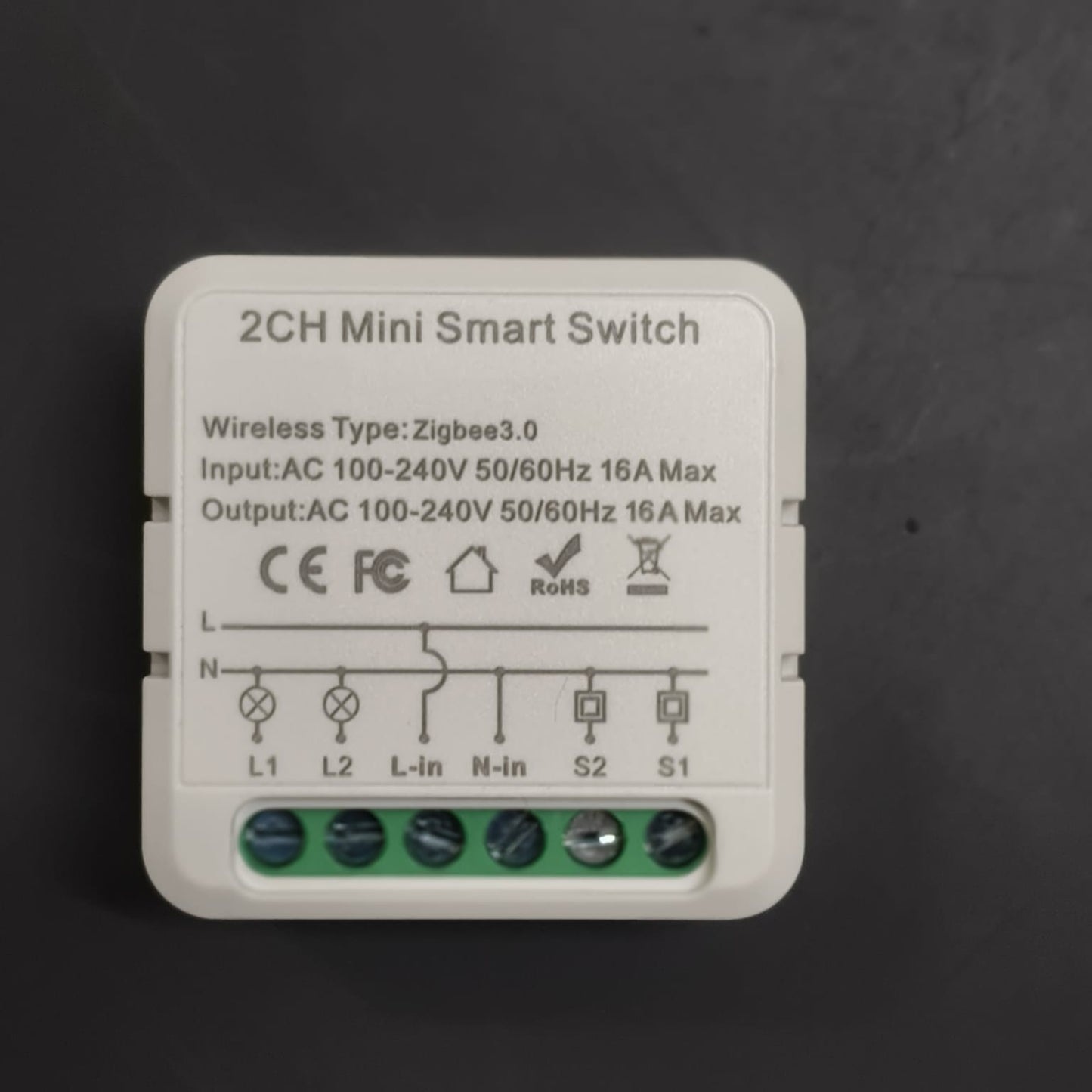
16A per channel; the product label also marks input and output 16A Max. Do not multiply the channel rating into a total simultaneous-load rating. Relay amperage is not an LED wattage rating.
At a glance
Technical specifications
| Channels | 2 independent on/off circuits |
|---|---|
| Wireless protocol | Zigbee 3.0 — not a direct Wi-Fi module |
| Gateway | Compatible Tuya/OKOS Zigbee gateway required for app control |
| Apps | Smart Life (Tuya) or OKOS Smart App, through a compatible gateway |
| Input / output voltage | 100–240V AC, 50/60Hz |
| Per-channel rating and limits | 16A per channel; the product label also marks input and output 16A Max. Do not multiply the channel rating into a total simultaneous-load rating. |
| Neutral wire | Required, together with live supply |
| Local control | Connections for 2 external wall-switch inputs |
| Function | On/off switching; not a dimmer or fan-speed controller |
| Warranty | 1 year |
Before you fit it
Plan. Install. Test.
Check the gateway, neutral, enclosure space and permitted channel and total loads.
Isolate and prove the supply dead. Follow the exact unit’s supplied wiring instructions.
Pair through the compatible gateway. Name each circuit and test local and app control.

Good to know
Frequently asked questions
Does this module connect directly to my Wi-Fi router?
No. This is the Zigbee 3.0 version. App control requires a compatible Tuya/OKOS Zigbee gateway configured for Smart Life or OKOS Smart. Confirm gateway compatibility before ordering.
Can I keep using my wall switches?
Yes. The module has connections for 2 external wall-switch inputs. A qualified electrician must follow the wiring instructions supplied with the exact unit.
Is a neutral wire needed?
Yes. This model requires live and neutral at the installation point. It is not a no-neutral module.
How much load can I connect?
16A per channel; the product label also marks input and output 16A Max. Do not multiply the channel rating into a total simultaneous-load rating. LED-driver inrush current and load type can reduce the permitted working load. Confirm the total simultaneous load with OKOS before installation.
Can it dim lights or control fan speed?
No. It is an on/off switch module, not a dimmer or fan-speed regulator.
What should I check before installation?
Check gateway compatibility, neutral availability, enclosure space and load suitability. A qualified electrician should isolate and prove the supply dead before wiring; app OFF is not electrical isolation.
Coming soon